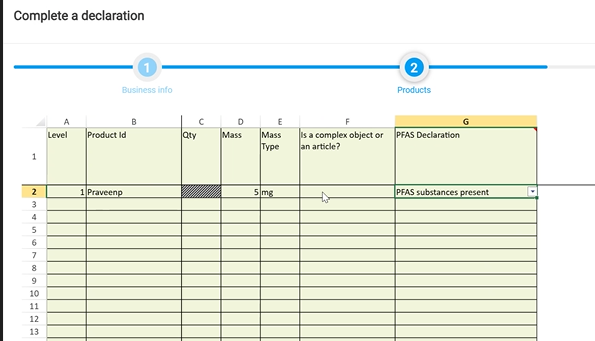
If PFAS substances have been declared in the previous section (as below), further information will be required in the Material Summary section.
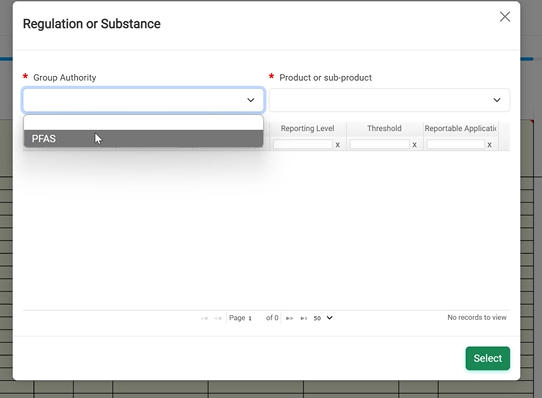
Click in to the first cell under Sub Product and a pop-up window will appear with drop down options for Group Authority and Product or sub-product.
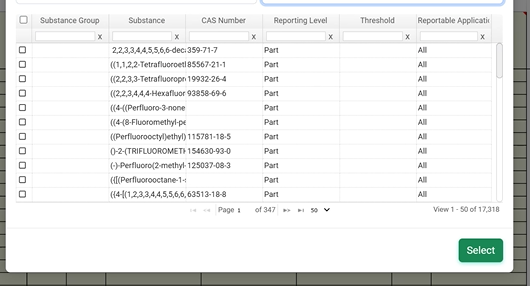
Select PFAS as the group authority and the product containing PFAS substances. Then tick the boxes next to the relevant chemicals. Each column has a search function to help find the correct chemicals.
Once all the relevant PFAS chemicals have been ticked, click 'select'. They will be populated into the grid
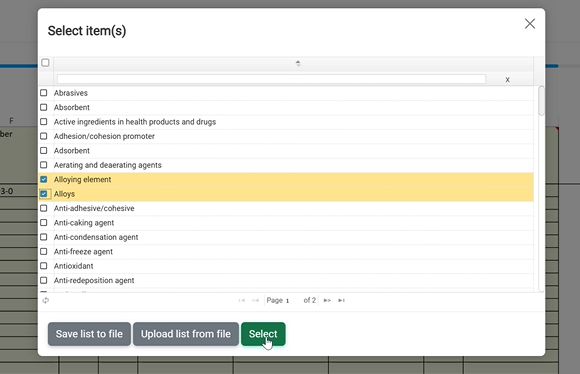
Cells in red are mandatory. Add the mass in mg and the PFAS uses as below. The uses are collected from various global PFAS legislation. More than one use can be chosen.
Once the relevant uses have been chosen, click 'select'.
Click the Validate and lock section button. Correct any errors as applicable.